Emporia Vue Home Energy Monitor: Install Guide & Safety Tips
Wondering if you can DIY an Emporia Vue home energy monitor or should call an electrician? We explain how these devices work and when pro installation is safest.
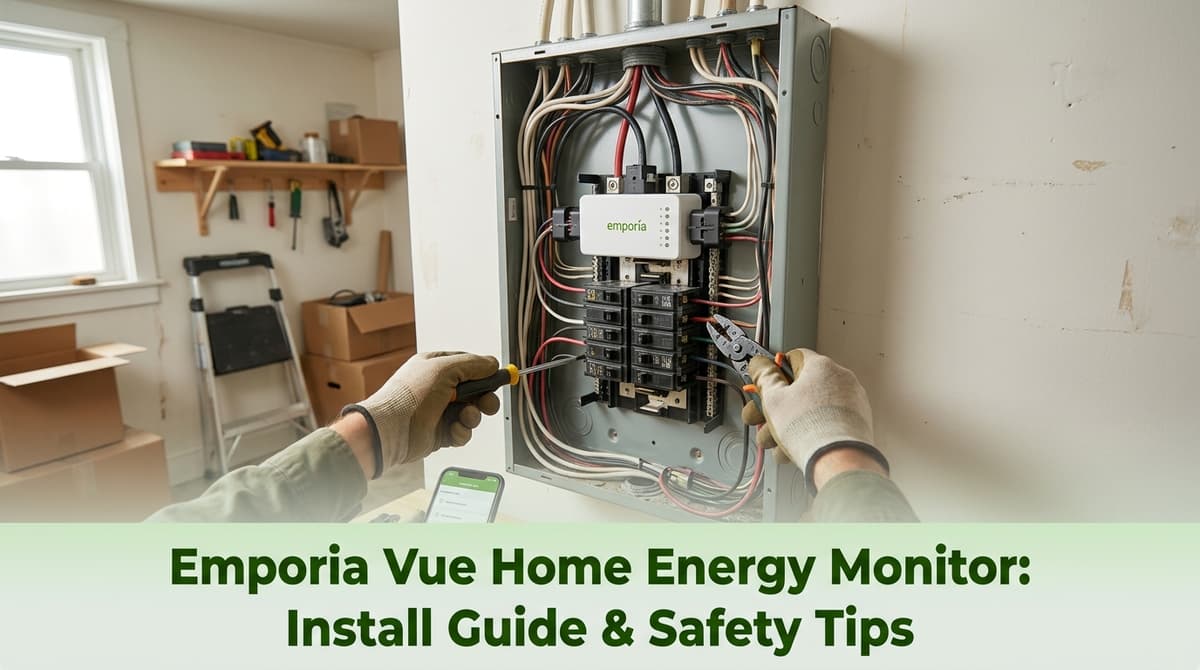
Helping a Homeowner Install an Emporia Vue Monitor
We recently got a call from a homeowner — we’ll call him Jason — who was driving around, shopping for quotes to install an Emporia Vue energy monitor on his breaker panel. He told us, “I’ve got the Emporia V3, with the two big clamps for the main wires and a bunch of little clamps for the branch circuits. I could install it myself, but I don’t really trust myself in the panel.”
As we talked, Jason mentioned he was calling several electricians to see what the market looked like for installation prices. We asked for the usual things we need to give a solid estimate: a few pictures of his panel, the model number of his Emporia, and his address for tax purposes. Partway through, we all realized he was near Seattle and we were in Texas — definitely not a quick service call! We had a good laugh about the long-distance mix-up, but his questions are ones we hear all the time.
So we thought we’d share what we walked Jason through: what home energy monitors like the Emporia Vue are, how they work, what installation usually involves, and when it’s wise to bring in a licensed electrician.
What Is a Home Energy Monitor Like Emporia Vue?
Devices like the Emporia Vue are clamp-on energy monitoring systems that live in or near your main electrical panel. They don’t replace breakers or wiring; instead, they measure how much electricity is flowing through specific circuits and your whole home.
The typical Emporia setup Jason described includes:
- Two main CT clamps that go around the incoming service conductors feeding your main breaker.
- Multiple smaller CT clamps (often 8–16) that go around individual branch circuits so you can see where power is being used.
- A monitoring module that connects to Wi‑Fi and sends real-time data to an app on your phone.
Once installed and configured, you can see how much power your whole home is using, which circuits spike during the day, and where you might be wasting energy.
How These Energy Monitors Actually Work
When we explain these systems to homeowners, we like to compare a CT clamp to a “stethoscope” for your wires. The clamp never cuts the wire or touches bare copper; it wraps around the insulated conductor and senses the magnetic field created by current flow.
Here’s the basic idea:
- Electricity flowing through the wire creates a magnetic field.
- The CT clamp senses that field and converts it to a small signal.
- The monitor reads that signal, combines it with voltage information, and calculates power usage.
- The data gets sent to the app so you can see real-time and historical usage.
This is all “non-invasive” in the sense that we aren’t cutting into conductors, but we are working inside a live electrical panel — and that’s where safety and code compliance really matter.
What a Typical Emporia Vue Installation Involves
When someone like Jason asks for an install, we usually follow a similar process. The exact steps can vary by panel, but in general we will:
- Shut off the main breaker and verify what is and isn’t de‑energized.
- Open the panel cover and check for space, panel condition, and any code or safety issues.
- Mount the monitor in or near the panel, keeping clearances and manufacturer instructions in mind.
- Clamp the two main CTs safely around the service conductors, oriented as specified by Emporia.
- Select circuits to monitor and place the smaller CT clamps on those breakers’ conductors.
- Provide power to the monitor from a properly sized breaker or an approved existing circuit, per the instructions.
- Button up the panel, restore power, and then walk through app setup and calibration with the homeowner.
We also label monitored circuits in the app and, where practical, in the panel directory so you’re not guessing which CT is watching your fridge versus your EV charger.
DIY vs. Hiring an Electrician: How to Decide
Jason’s instinct — “I don’t know if I trust myself in the panel” — is exactly the right question to ask. Some handy homeowners do install these themselves, but there are clear cases where we strongly recommend bringing in a pro.
When DIY Might Be Reasonable
If all of the following are true, some homeowners feel comfortable tackling it themselves:
- You have a modern, uncrowded panel with a clear directory.
- You’re already familiar with safely shutting off breakers and working around electricity.
- You carefully follow the manufacturer’s instructions and local code requirements.
- You’re only adding CT clamps and not modifying wiring or adding new circuits.
Even then, we always suggest at least having an electrician look over your panel beforehand if you see signs of overheating, double‑tapped breakers, or anything that “doesn’t look right.”
When You Should Absolutely Call an Electrician
There are situations where we’d tell a homeowner, “Don’t DIY this,” including:
- Old or crowded panels with little working space or unclear labeling.
- Aluminum or mixed wiring where connections need extra attention.
- Any water damage, corrosion, or burn marks inside the panel.
- Upgrading service or adding subpanels at the same time as the monitor.
- Uncertainty about neutral/grounding or code requirements in your area.
Remember, even with the main breaker off, the service conductors feeding the panel lugs are still energized. That’s one of the big reasons people like Jason call us — the monitor itself is simple, but the environment it lives in is not forgiving.
What We Need to Give You a Good Quote
Our short call with Jason was a perfect example of what helps us quote accurately without a site visit. If you reach out to us about installing an Emporia Vue or similar device, we’ll usually ask for:
- Clear photos of your main panel, cover on and cover off (if you’re comfortable removing it safely).
- A closeup of the breaker layout and panel label or model number.
- The exact model of your energy monitor and how many CT clamps it includes.
- Your address or general location so we can account for travel and local code requirements.
With that, we can usually give a ballpark estimate and let you know if we see any red flags that might change the scope once we’re on site.
Thinking About Installing an Emporia Vue?
We love tools that help homeowners understand and reduce their energy use, and products like the Emporia Vue can be fantastic when they’re installed safely and correctly. If you’re like Jason and not completely comfortable opening your panel, that’s exactly what we’re here for.
If you’re considering a home energy monitor, we’re happy to look at photos of your panel, talk through your comfort level with DIY, and give you an honest recommendation on whether this is a weekend project for you or a job we should handle. Either way, an informed, safe installation is the goal.